
Guide · Music Informatics
What MIDI is: instructions, not audio
What MIDI is and, more importantly, what it is not. How a MIDI message describes a note without audio, and why that makes it so flexible.
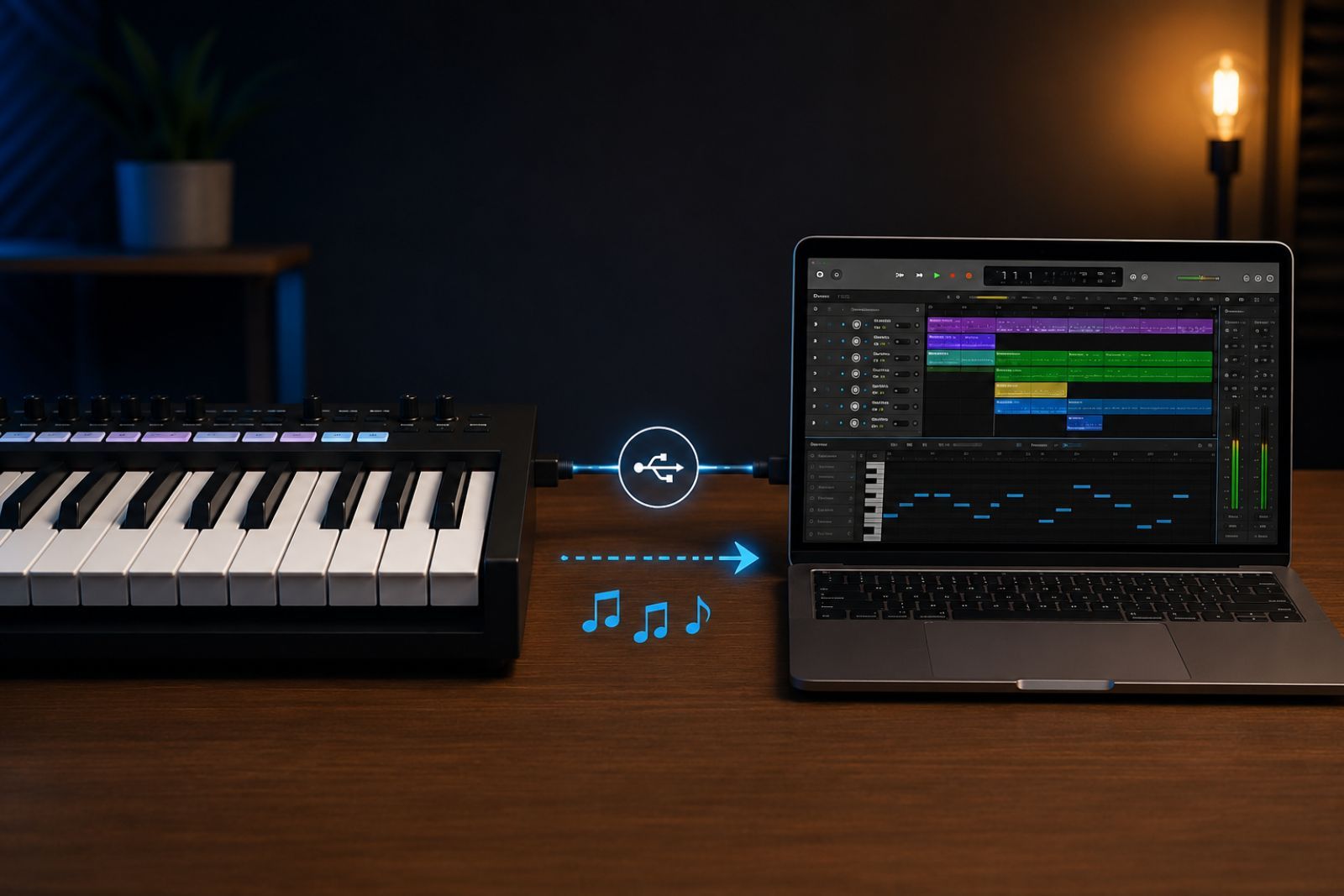
The first time someone tinkers with music and computers, they run into the same misconception: they think a MIDI file “contains” the song, the way an MP3 does. It does not. MIDI stores no sound. It stores instructions for producing sound. Understanding that difference clears up a lot of confusion, so I start there.
What MIDI stands for
MIDI stands for Musical Instrument Digital Interface. It is a standard from 1983 — still very much alive — that defines how electronic instruments, controllers, and computers communicate with each other. Before MIDI, connecting a keyboard from one manufacturer to a sound module from another was hit or miss. MIDI gave them a common language.
The key point: that language does not speak of sound waves. It speaks of musical events.
The core idea: instruction, not sound
When you press a key on a MIDI controller, no sound travels through the cable. What travels is a message that says, in essence, “start playing this note.” When you release the key, another message follows: “stop playing this note.” The sound is generated afterwards by whatever device receives those messages — a synthesiser, a module, a software instrument in the computer.
It is the difference between a score and a recording. The score tells you what to play; it does not make sound on its own. In the digital world, MIDI is much closer to the score than to the record.
What a message carries
A classic MIDI note message packs three simple pieces of data:
| Field | Range | What it represents |
|---|---|---|
| Note | 0–127 | Pitch (60 = middle C, 69 = A 440 Hz) |
| Velocity | 0–127 | How hard the key was struck |
| Channel | 1–16 | Message destination (instrument or track) |
There are many other message types — program changes to select a sound, controllers for modulation or the sustain pedal, tempo information — but the “note on / note off” pair is the heart of the protocol.
Why this matters
Because MIDI describes instructions rather than audio, the performance is decoupled from the final sound. You can record a melody once and then change its instrument, transpose it to a different key, fix a note, or adjust the tempo without playing anything again. You are editing the instructions, not a closed recording.
That flexibility is why MIDI remains the backbone of any digital studio, and the most practical entry point into music computing: the symbolic layer, where music is manipulable data before it becomes sound. The next step — when the work moves down from the symbol to the signal — is where the Fourier transform comes in.
What it is not
To close the misconception from the start: a MIDI file will not sound the same on two computers if each uses different instruments to play it back, because it contains only the instructions, not the timbre. That is not a flaw. It is precisely what makes it useful.
References
The references this article draws on, and where to read further:
- The MIDI Association. The Official MIDI Specifications (MIDI 1.0, General MIDI, MIDI 2.0).
- Huber, D. M. (2007). The MIDI Manual: A Practical Guide to MIDI in the Project Studio (3rd ed.). Focal Press.
- Rothstein, J. (1995). MIDI: A Comprehensive Introduction. A-R Editions.
Frequently asked questions
-
¿Para qué sirven los canales MIDI?
MIDI define 16 canales que comparten la misma conexión física o virtual. Cada canal es un carril independiente: los mensajes del canal 1 solo afectan al instrumento asignado a ese canal, y así con los 16. En la práctica, una sola interfaz MIDI puede controlar simultáneamente un piano (canal 1), una cuerda (canal 2), un bajo (canal 3) y la batería (canal 10, reservado por el estándar General MIDI para percusión).
Esto es lo que permite que un secuenciador —o un cuaderno Jupyter generando mensajes MIDI— orqueste varias voces sin necesidad de múltiples conexiones. Para AMT, los canales también importan: la separación por instrumento en una secuencia MIDI de múltiples pistas es una de las ventajas del formato frente al audio mezclado. Lo explico con más contexto en ¿Qué es MIDI?.
-
¿Por qué un archivo MIDI no suena igual en dos ordenadores distintos?
MIDI no guarda sonido: guarda instrucciones. El protocolo describe qué nota sonar, cuándo y con qué intensidad. El sonido que escuchas lo genera el sintetizador del dispositivo receptor. Si el receptor cambia —un sampler de piano de cola, el GM de un ordenador antiguo, openDAW en el navegador—, el timbre cambia. Por eso la misma secuencia MIDI suena diferente según quién la interprete. Es exactamente la diferencia entre una partitura y una grabación. Lo explico en detalle en ¿Qué es MIDI?.
-
¿Cuál es la diferencia entre MIDI y audio digital?
MIDI y audio digital resuelven problemas distintos. MIDI es un protocolo de instrucciones: le dice a un sintetizador “toca la nota La4 con velocidad 80 durante 500 ms”. No hay sonido en el archivo, solo órdenes. El audio digital —WAV, FLAC, MP3— es la grabación de la señal acústica: miles de muestras por segundo que describen la presión del aire en un micrófono.
La consecuencia práctica es inmediata: un archivo MIDI pesa kilobytes; una grabación WAV de la misma pieza puede pesar megabytes. Y mientras el audio digital suena exactamente igual en cualquier reproductor, el MIDI suena diferente según el sintetizador que lo interprete.
Para un estudio de AMT esto importa: entrenar un modelo con audio MIDI-sintetizado y evaluarlo con grabaciones reales introduce una brecha de dominio que hay que tener en cuenta. Lo explico en ¿Qué es MIDI?.